How to Create Radio Commercials and Professional Station IDs with AI Voiceover Templates
Streamline your audio production using Sonodit's pre-made templates. Generate high-quality radio spots and station imaging in minutes—no sound engineering required.
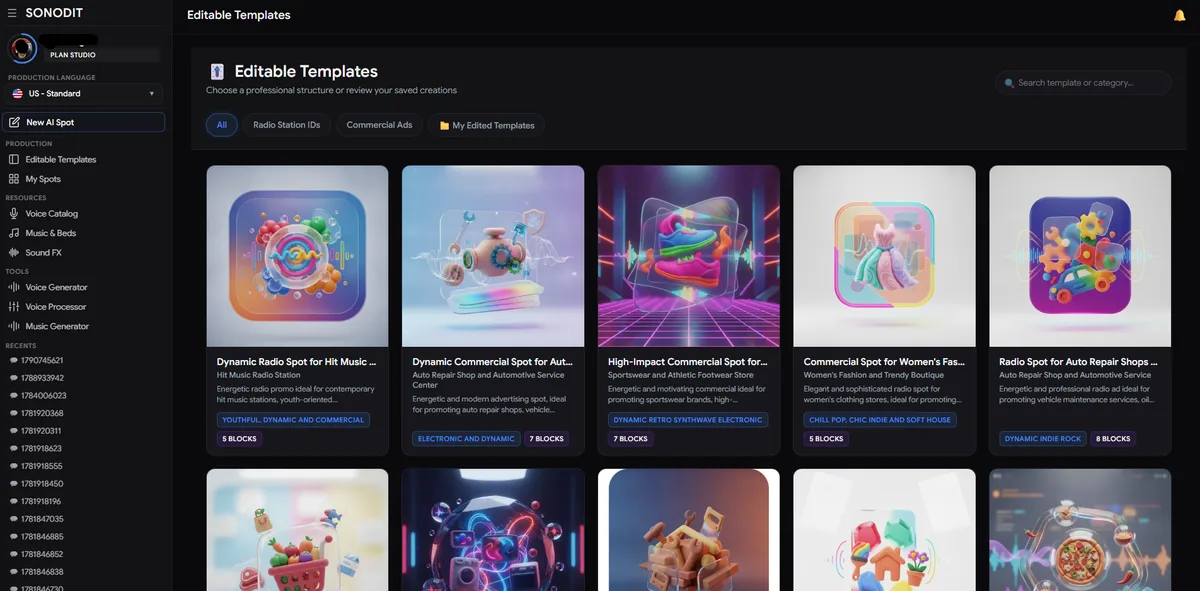
Step 1: Access the Production Panel
Start by logging into your Sonodit account. Navigate to the dashboard and locate the Production section. From there, click on Editable Templates to browse our library of pre-structured assets, including commercial spots, station IDs, and radio separators.
Step 2: Select Your Ideal Template
Browse through the categories to find a template that matches the tone of your project. You can filter by industry or project type (e.g., retail, promotional, or station branding) to ensure the structure fits your needs. 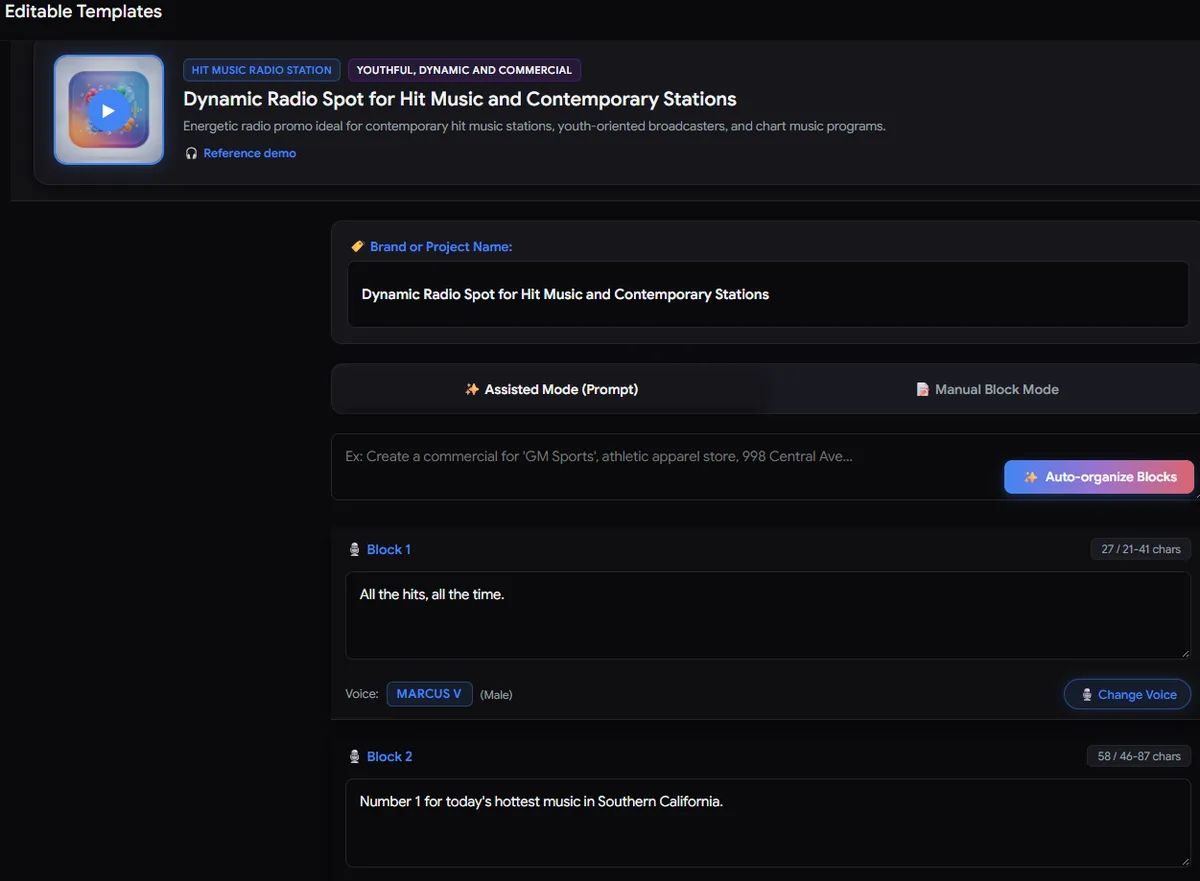
Step 3: Input Your Data and Auto-Organize
Once you've selected a template, give your project a title and input the key information such as the brand name, address, and special offers. After entering your details, click Auto-Organize Blocks. The system will intelligently weave your data into the pre-made script structure. Take a moment to review and tweak the text to your liking. 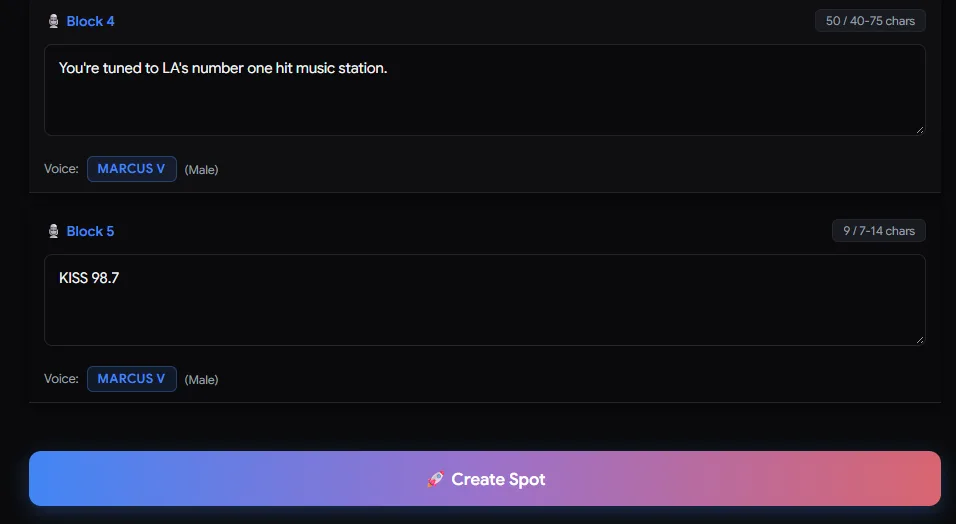
Step 4: Generate Your Spot
Once the script is perfected, click Create Spot. If the AI detects any ambiguous words, it will prompt you for clarification. You can choose the correct pronunciation from the suggestions or type the word phonetically. Confirm your settings, and in just a few minutes, your professional-grade radio asset will be ready for download. 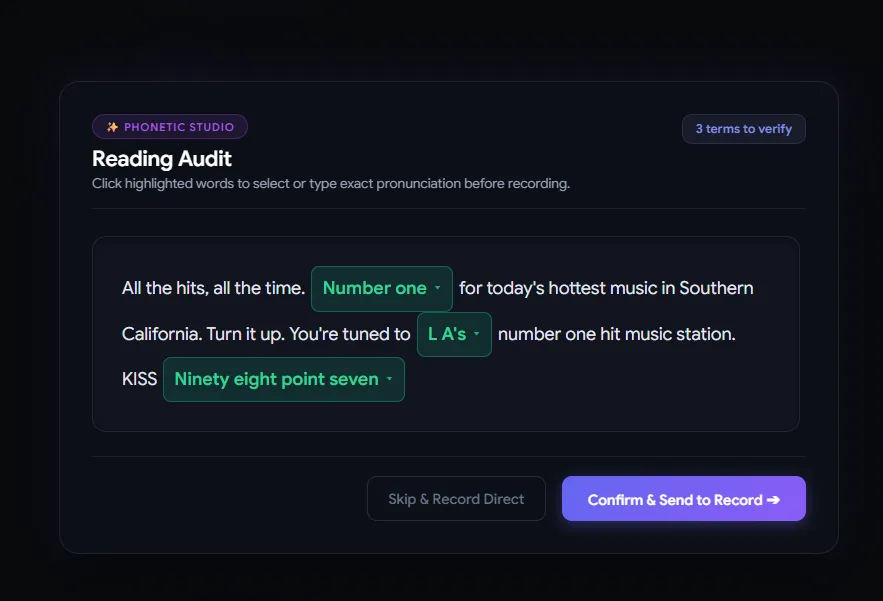
Smart Radio Studio
Producí spots de radio profesionales en minutos con inteligencia artificial.